
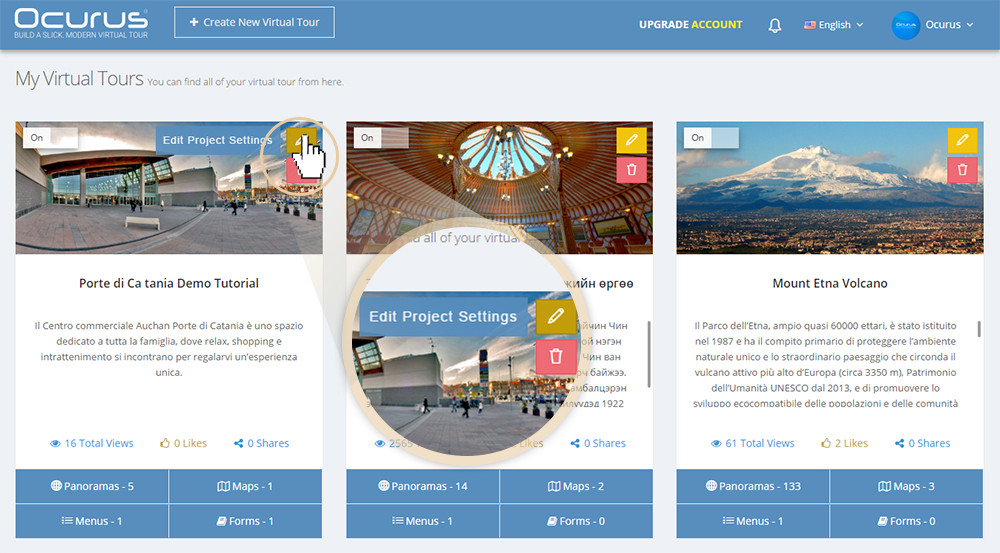
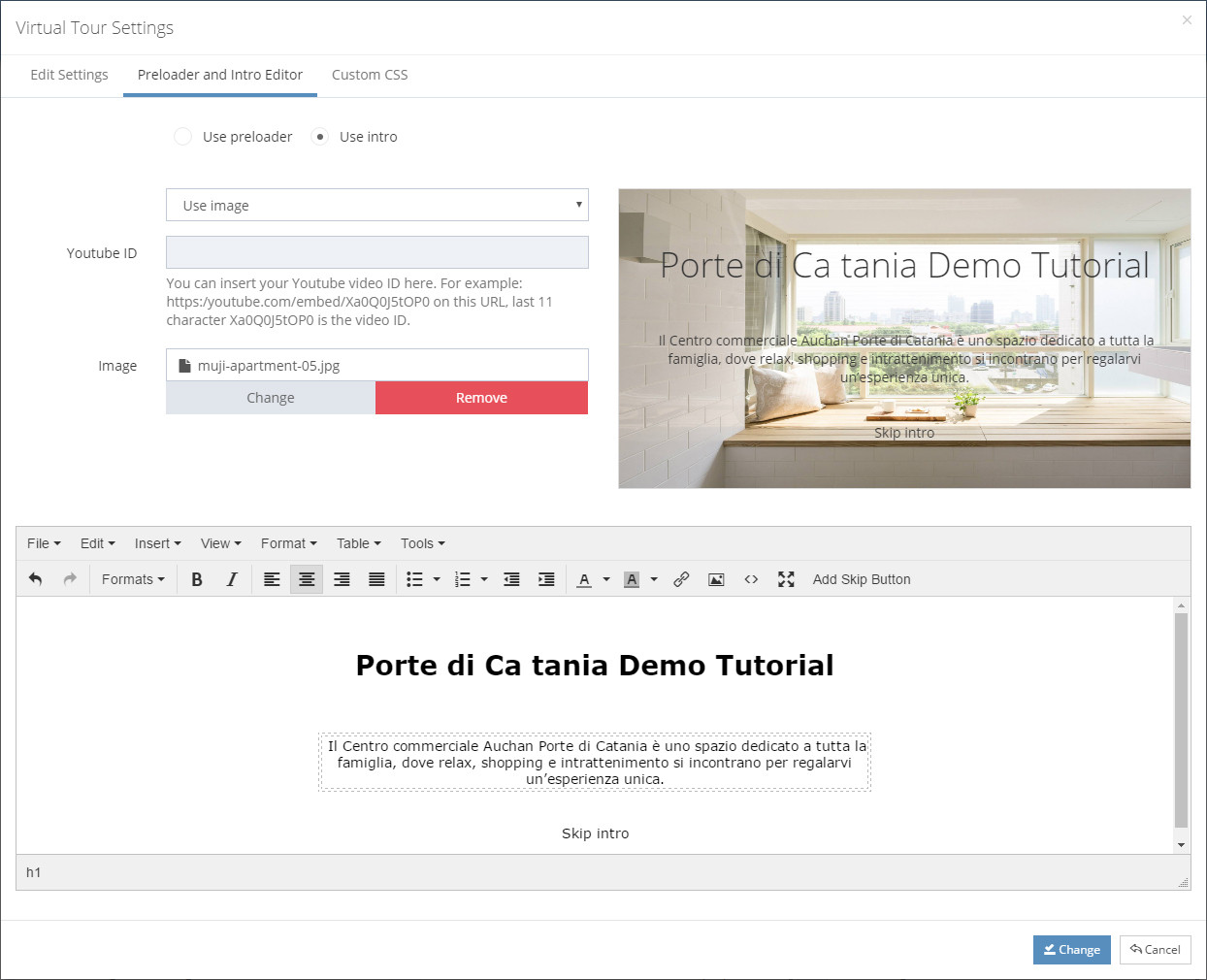
Hello, In this tutorial I will show you how to create INTRO on your virtual tour. For this, you should click "Edit Project Settings" button which is located in a top, right corner of each virtual tour. Select "Preloader and Intro Editor" tab from "Virtual Tour Settings" and select "Use Intro" to create your intro.
 |
We provide a video or image background based Intro creator for a virtual tour. For the image based intro, you should upload a image. |
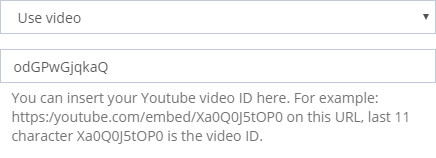 |
If you want a video based background, you should insert your youtube video ID on the related field. |
You can write your intro contents in the tinyMCE editor. Look at the video below to see it in real action.